
数字标牌
此功能为管理人员提供了创建和管理数字标牌内容的方法。
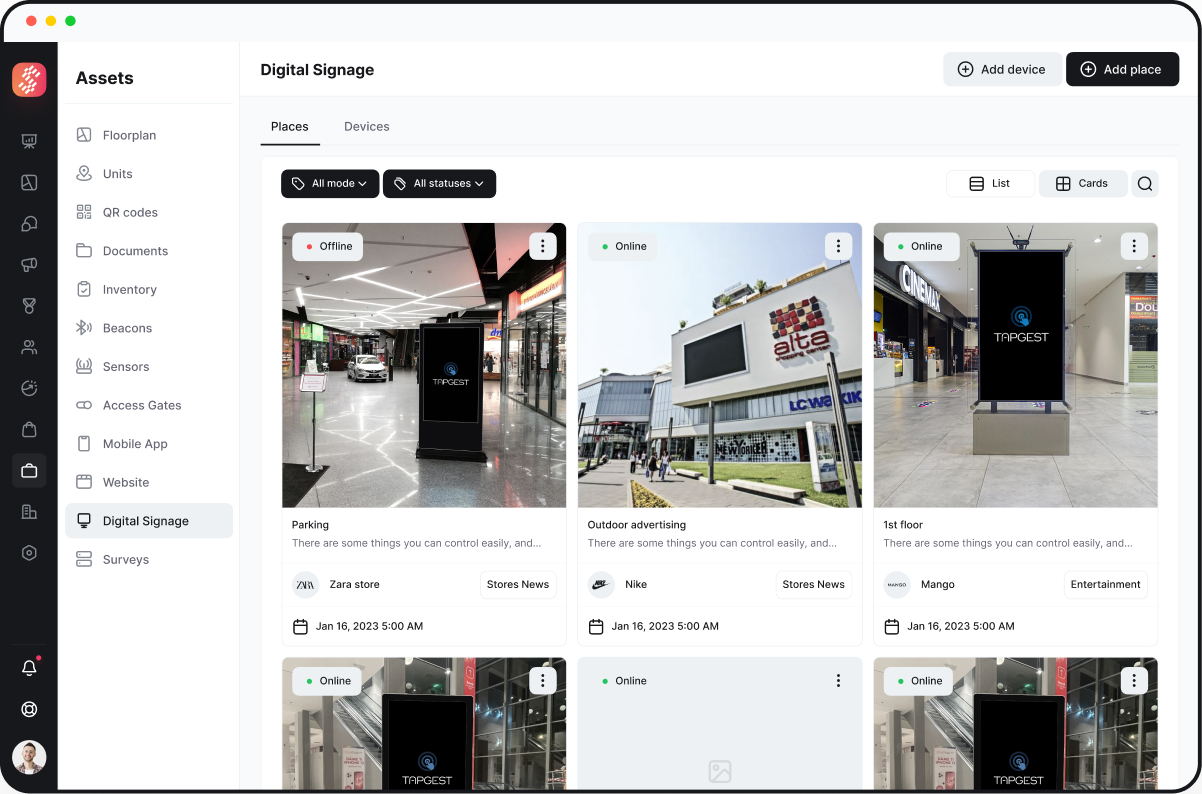
In short
How do you manage a digital signage screen network in a shopping mall?
You run every screen from one cloud CMS: build playlists, schedule campaigns per screen group, and push updates remotely instead of walking a USB stick to each display. Simplaq's signage module lets marketing teams and media partners plan content on a shared calendar while operations monitors which screens are live.
Screen content is scattered across USB sticks, spreadsheets, and one person's laptop
Most malls accumulate digital screens over several supplier contracts: parking-area displays from one installer, mall directory screens from another, food-court boards from a third. Updating a campaign means touching each system separately, and nobody has a single view of what's currently playing where.
Media sales teams sell screen time they can't verify was delivered, because there's no shared calendar and no play-confirmation log tied to the commercial agreement.
When a tenant or partner wants their promotion live at short notice, the update depends on whoever built the original playlist being available that day.
Who runs into this
Marketing manager
Needs a seasonal campaign live across all screens by a fixed date and can't get confirmation it went out everywhere.
Center operations lead
Finds out a screen has been frozen on the same static image for three days only when a tenant complains.
Media sales / advertising partner
Sold screen time to a brand and has no record to show the campaign actually ran the agreed number of times.
Why it matters
- Advertising revenue
- Screen inventory sold to tenants or media agencies is only monetizable if the mall can show what ran, when, and for how long — the basis for renewal and rate negotiation.
- Brand and safety messaging
- Emergency notices, closures, or center-wide announcements need to reach every screen at once, not depend on whoever last edited that screen's playlist.
- Operational time
- Every hour spent manually swapping content per screen is an hour not spent on the campaign calendar or partner relationships.
How the workflow runs
A campaign goes from request to live screen through one shared system.
- 1
Content uploadMarketing team
Marketing or a tenant uploads creative (image, video, or HTML5) to the CMS library.
- 2
SchedulingMarketing / media sales
The campaign is assigned to specific screens or screen groups with a start and end date, avoiding manual per-screen edits.
- 3
ApprovalCenter operations
For tenant- or partner-submitted content, a reviewer approves before it goes live, so nothing reaches a public screen unchecked.
- 4
DistributionSystem
The CMS pushes the playlist update to the assigned screens without an on-site visit.
- 5
MonitoringOperations
Operations checks screen status from the dashboard to see which displays are online and which are showing the current schedule.
How Simplaq fits
- One cloud CMS covers content upload, scheduling, and screen assignment instead of per-vendor tools.
- Screen groups let a single campaign target, for example, only entrance screens or only food-court screens without editing each one.
- A content approval step exists in the workflow for tenant- or partner-submitted material before it reaches a live display.
- The dashboard gives operations a status view of the screen fleet rather than relying on someone physically checking each display.
What the product actually does
Cloud content management
Upload, schedule, and edit campaign content remotely from any device instead of managing each screen locally.
Screen grouping and scheduling
Assign campaigns to specific screens or groups with defined start and end dates.
Content approval workflow
Route tenant- or partner-submitted content through a review step before it airs.
Interactive and gesture-controlled content
Support for touch-interactive screens and gesture-controlled applications on kiosks and totems, run on the same CMS.
Screen status dashboard
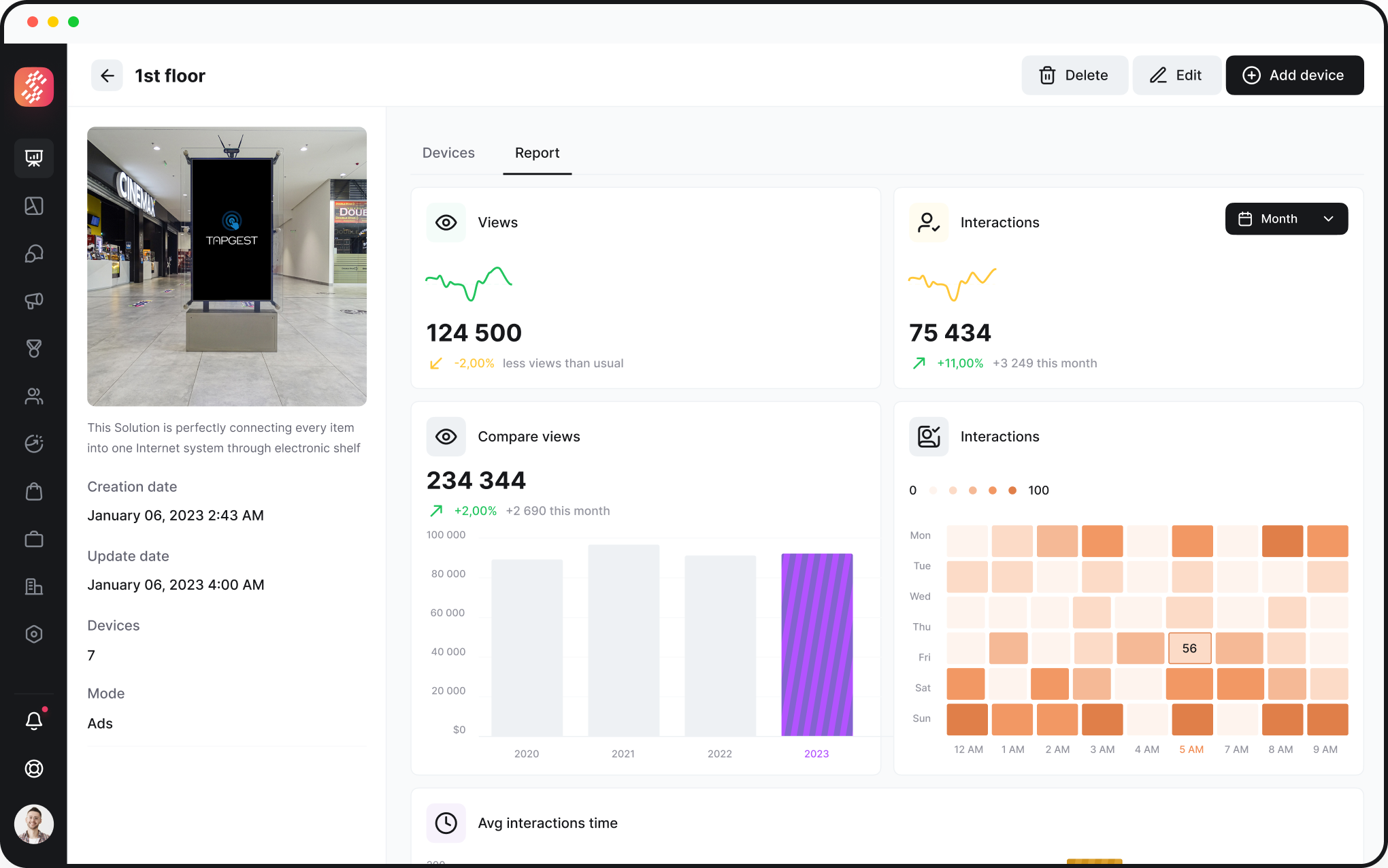
See which screens are online and reflect the current schedule from a single overview.
Implementation considerations
Existing screen hardware
Screen brand, player hardware, and network connectivity per display should be inventoried before rollout — compatibility is confirmed per deployment during technical scoping rather than assumed.
Content approval owners
Decide who approves tenant- or partner-submitted content before go-live, since the workflow requires a named reviewer, not just an uploader.
Screen grouping logic
Map which screens belong to which zone (entrance, parking, food court, directory) up front so campaigns can target the right group from day one.
Related integrations
- Mall mobile app — Campaigns curated for signage can be cross-published to the mobile app's promotions feed.
- Website content — Discounts and events created for the web portal can be reflected in signage playlists, avoiding duplicate content entry.(scoped per deployment)
Customer evidence
Futurum Hradec Králové — Digitalization and Content Management
Futurum Hradec Králové moved from vendor-fragmented static screens to a single cloud CMS with self-service campaign scheduling for both center management and media partners, plus a screen-status view for operations.
Read the Futurum Hradec Králové — Digitalization and Content Management deploymentQuestions buyers ask
- Can tenants or media partners upload their own signage content?
- Yes — content can be submitted by tenants or advertising partners and routed through an approval step before it goes live, so center operations retains control over what airs.
- Do all screens need to be the same hardware?
- No, but hardware compatibility is confirmed per screen during technical scoping rather than assumed; mixed-vendor screen fleets are common and get mapped during implementation.
- Can we target a campaign to only some screens, like just the food court?
- Yes — screens can be grouped by zone (entrance, parking, food court, directory) and a campaign scheduled to a group rather than edited on each display individually.
- How do we know a campaign actually ran on schedule?
- The CMS shows screen online status and current schedule from a dashboard, giving operations and sales a shared reference instead of relying on manual spot checks.
See the signage CMS on your own screen inventory
Walk through how your current screens, zones, and content approval process would map onto the CMS before committing to a rollout.
Book a signage walkthrough我们的功能
改善 您的营销沟通
使用我们的互动软件升级您过时的数字标牌。
我们的功能
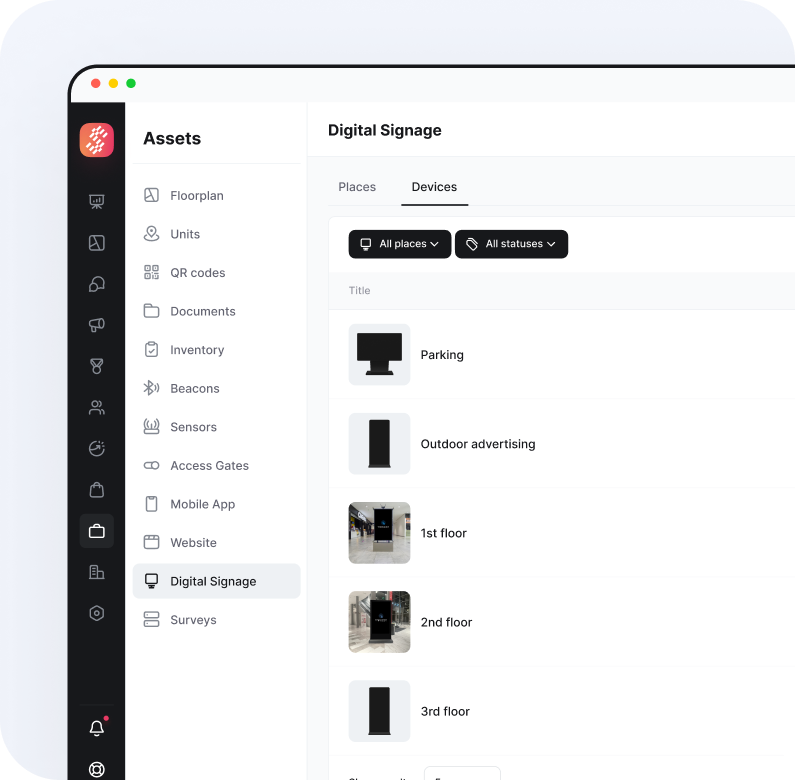
管理所有屏幕 从一个地方
Simplaq平台使远程管理广告内容变得容易。
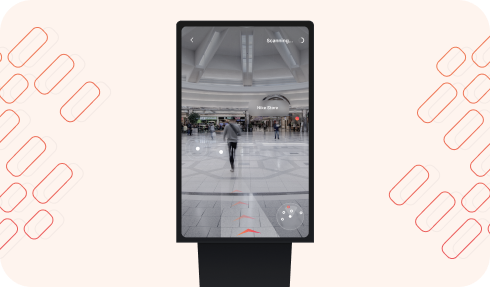
互动屏幕吸引更多路人
互动软件有无数创意营销可能性。
手势控制带来更多互动
我们提供各种通过手势控制的应用程序。
数字标牌仪表板
数字标牌对客户有完美的概览。
我们的解决方案
从现成的应用程序中选择 应用程序
我们的应用程序市场涵盖广泛的互动应用程序,提供无限的营销可能性。

设施管理

实时播放视频或显示社交媒体帖子

手势控制产品展示

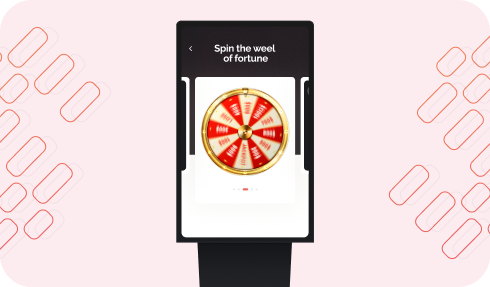
手势控制幸运转盘

AR照片亭

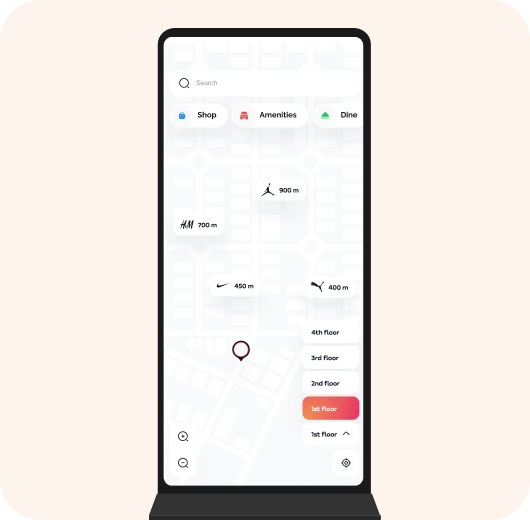
室内导航
轻松升级
使用手势控制和增强现实等新功能升级您的旧数字标牌。
软件价格
| 屏幕数量 | 1-10个屏幕 | 11-20个屏幕 | 20个以上屏幕 |
|---|---|---|---|
| 每屏幕月费 | 49 EUR | 39 EUR | 29 EUR |
硬件价格
| 静态和动态广告播放器 | 触摸屏应用播放器 | 手势控制应用播放器 | |||||||||
|---|---|---|---|---|---|---|---|---|---|---|---|
| Raspberry Pi 4,4 GB 内存,64 GB SD 卡 | ROC 3358S | iCore5, 8GB RAM, 120GB HDD, 8MPx camera @30fps | iCore7, 16GB RAM, 120GB HDD, 8MPx camera @30fps | ||||||||
| apx. 90 € | apx. 290€ | apx. 590€ | apx. 1090€ | ||||||||





















Pavel Urban
零售主管, CBRE Czech Republic
'/%3e%3cdefs%3e%3cradialGradient%20id='paint0_radial_120_60858'%20cx='0'%20cy='0'%20r='1'%20gradientUnits='userSpaceOnUse'%20gradientTransform='translate(-28.2647)%20rotate(47.5386)%20scale(51.9972%20148.227)'%3e%3cstop%20stop-color='%23F18C53'/%3e%3cstop%20offset='1'%20stop-color='%23E83A64'/%3e%3c/radialGradient%3e%3c/defs%3e%3c/svg%3e)
CBRE
提供了宝贵的专业知识 并支持我们的数字营销技术项目
我不认为Simplaq是供应商,而是一个进步且灵活的合作伙伴,我们可以灵活地实施和处理数字营销解决方案。
让我们开始
伟大的事业
了解我们的购物中心管理软件如何转变您的业务。
- 为您的物业定制解决方案
- 专属支持团队
- 快速实施
快速设置
几分钟内开始